
Creating a scalable design token system
An Academia case study • 2024
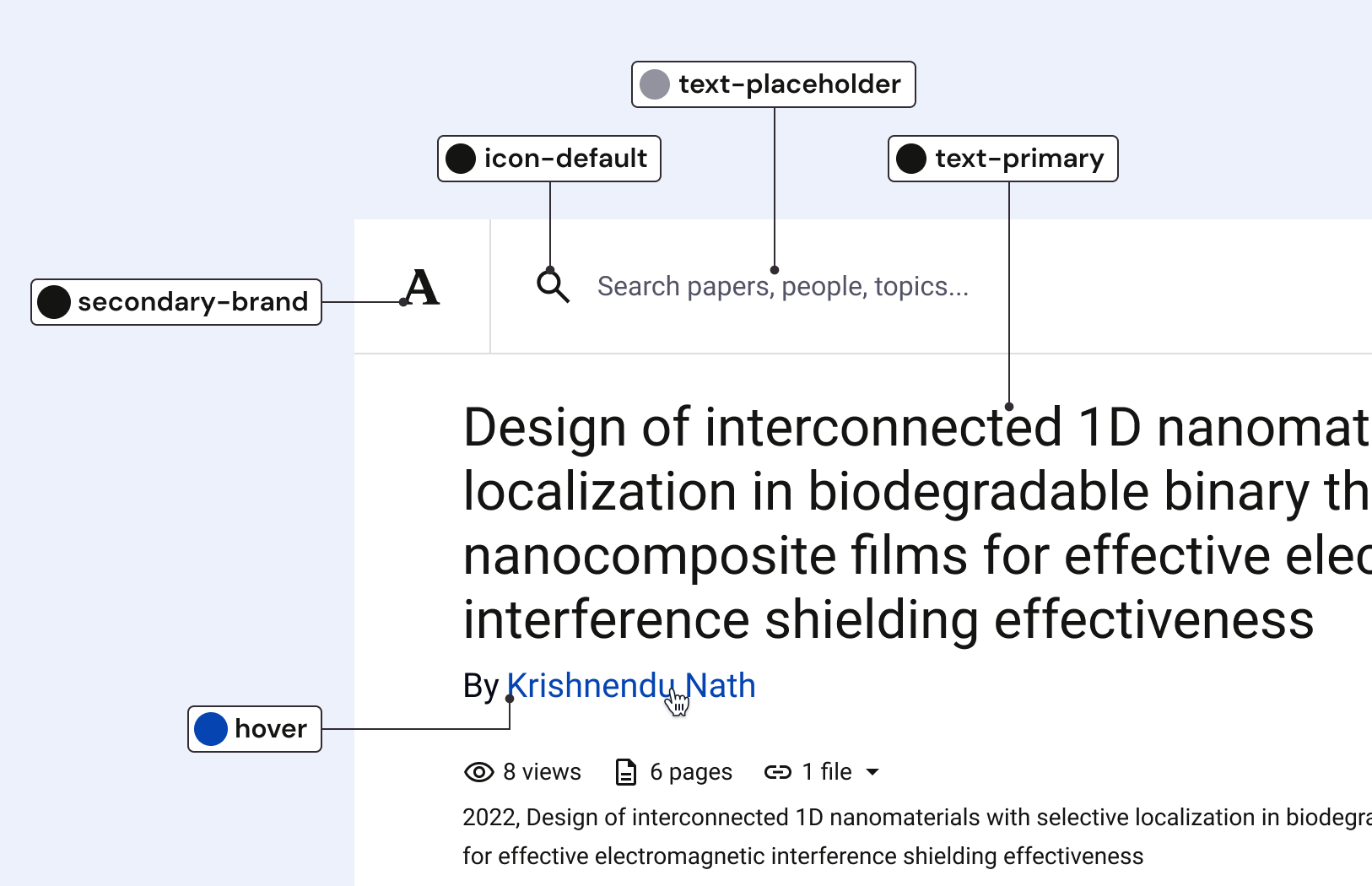
The token system became the most consequential improvement made to Academia’s design system. The three-tier architecture brought real structure to our design decisions, scaled with our team, and carried us through a full brand refresh. Here’s how we built it.
Building the system beneath the system
The problem
In the early days of the design system, type and color styles were the extent of automated variables.
Beyond that, designers had to reference documentation and/or remember the best practices of color and spacing usage.
Consequently, we had inconsistent and inefficient usage.
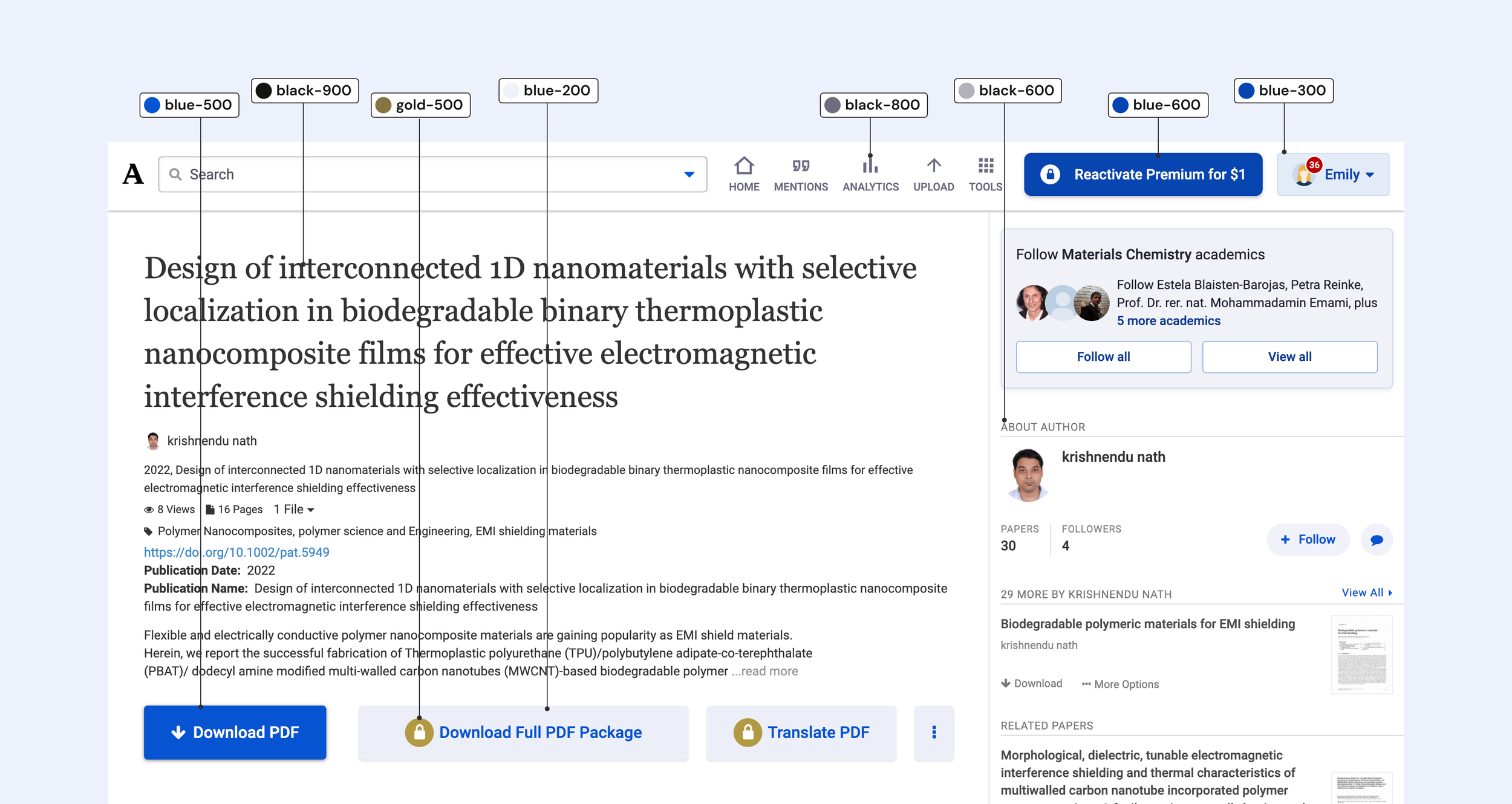
Goals for our v1 token set
Create an overall token solution to align and communicate proper design use
Allow for quick and accurate extension of the system in necessary instances
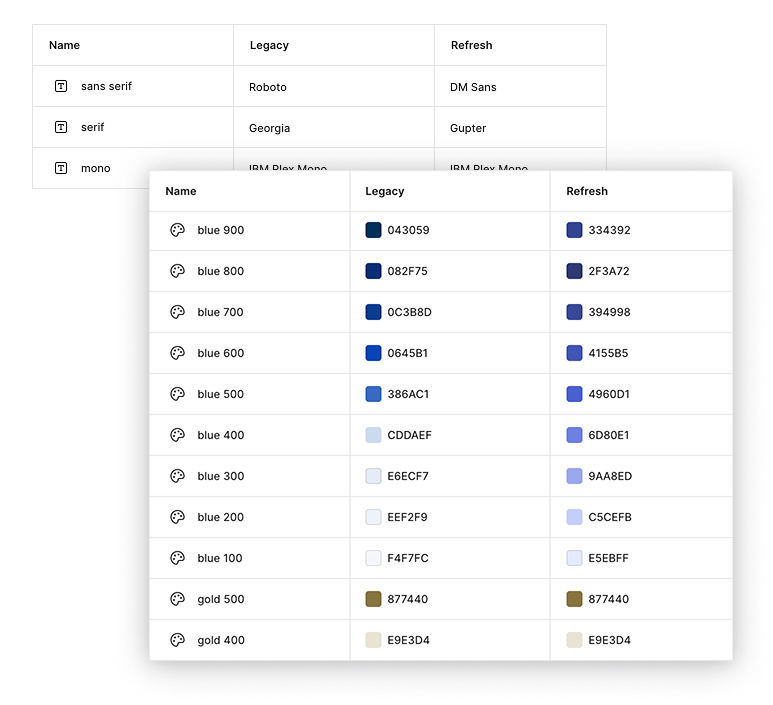
The introduction of tokens aligned with an ongoing brand redesign. Rather than waiting for the completion of the new brand, we decided to maintain parallel modes within our token collections to represent both the legacy and refreshed design variables. This allowed designers to design features in either (or both) styles with zero extra work.
My role
I led the token architecture from start to finish: naming and organizing variables, mapping them across components, and collaborating with the Head of Design and two frontend engineers throughout.
The workflow
The first step was to define our primitive tokens. Our primitive tokens represented our exhaustive color scales and type characteristics. The goal was for these to be accessible, but not front-and-center for use within Figma.

Next, are semantic tokens which communicate intended use. This level of tokens are what allows for broadest impact. Custom UI and new components can easily take advantage of these use-case-based colors.

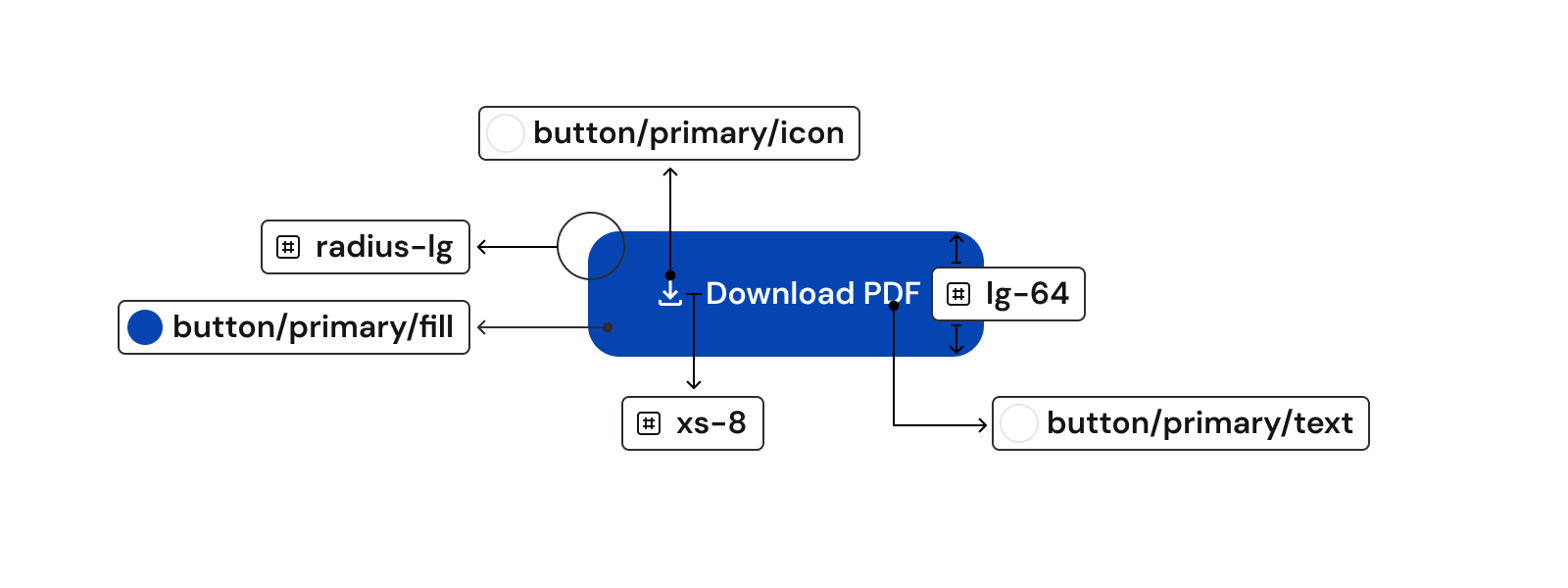
The final layer is component tokens. These are used in the construction of specific components. They are hyper-specific but allow for consistency across component sets.

Typographic tokens
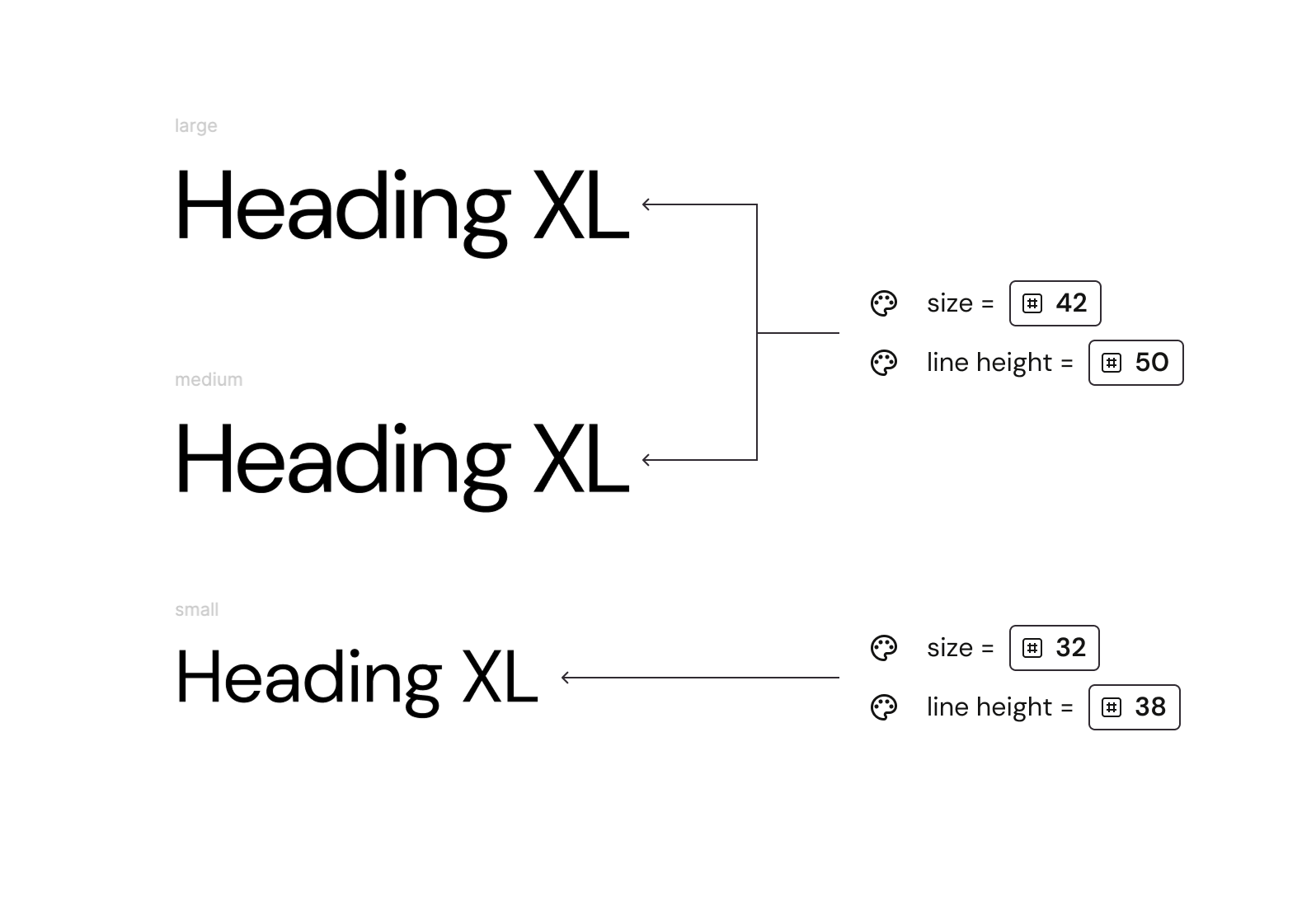
A particular benefit of adopting the token architecture was the ability to map our responsive type system to Figma’s existing type style organization.
By creating breakpoint adaptive tokens for type sizes and line heights, responsive sizing could be accurately shown in Figma mock-ups without additional work on the part of a designer.
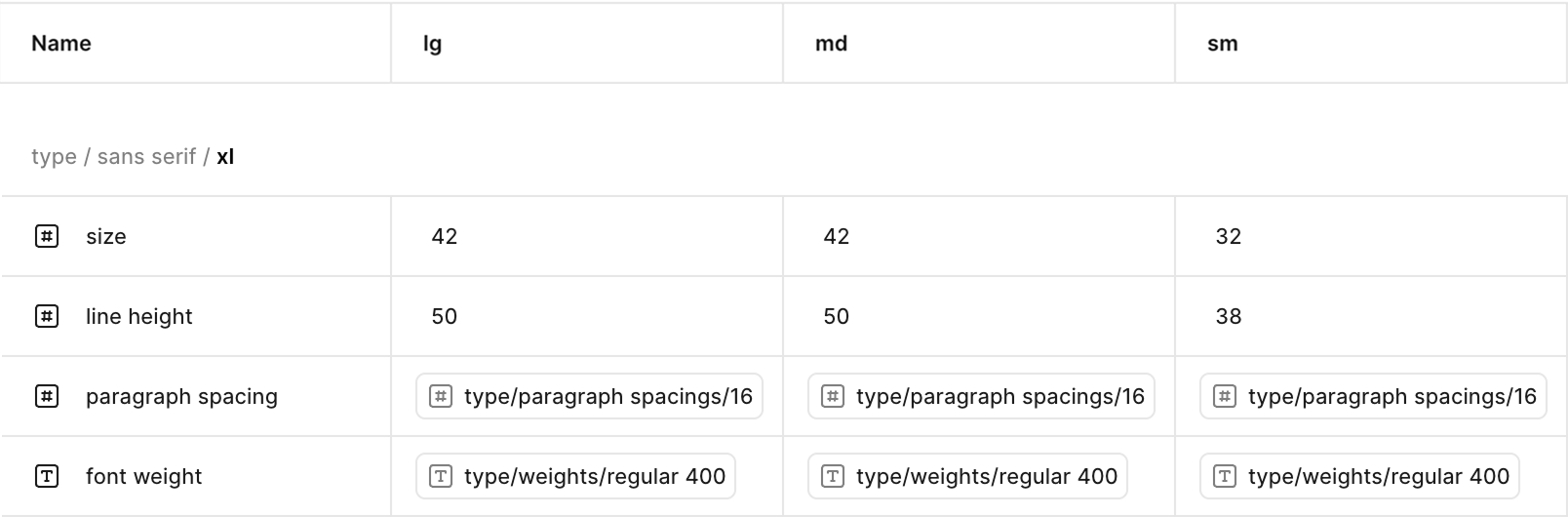
Our responsive type scale was defined across breakpoints in a separate Breakpoint mode
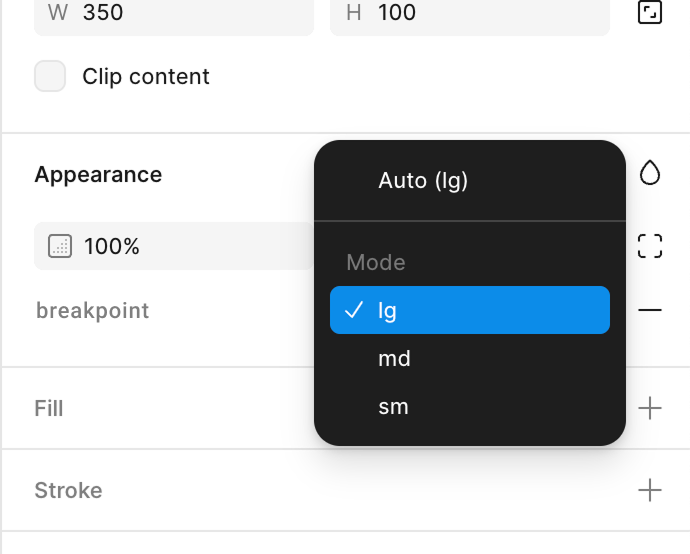
Controlled by selecting the right breakpoint in variable mode
In addition to typography, our responsive token collection allowed us to tie our grid system variables to tokens. Designers got breakpoint-specific styling for free by setting the variable mode of their designs.
Component building with tokens
Brand characteristics start to emerge as you build your components using your system’s tokens.
Take this example of our primary button. Here is a breakdown of the tokens that make it up:
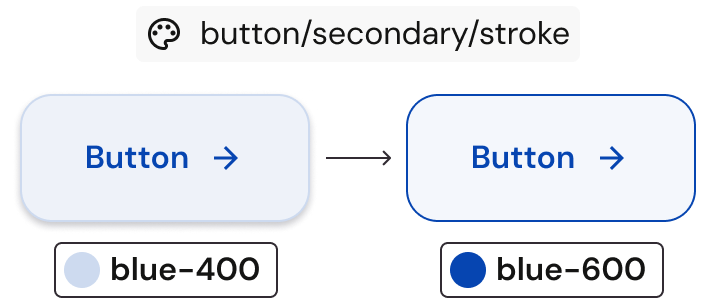
This simplifies future revisions. When we revised the outline color of our secondary button, it was as easy as redefining the corresponding token and re-exporting.
Lessons learned
Building the first version of our token system was inherently iterative and we leaned into that from the start.
Once the tokens were active, I would regularly touch base with the designers during our weekly design review. These check-ins led to the addition of more variables, re-organizing, and value tweaks. We had 100% adoption from the design team.
As our engineering team started building with AI tools we also saw the hallucination of design variables. To resolve, we’ve incorporated regular maintenance and stronger rules restricting the creation of new variables.
Tokens v2
In Q1 2026 I was able to dedicate time to improving the overall token system. I incorporated all our learnings from our first version, plus additional refinements identified through hands-on use.